
Word Kitchen
Gimica GmbHWord
4.51.35K Reviews
- Version
- 1.13.0
- Installs
- 1.00M
- Age Rating
- Everyone
Screenshots
Our Review of Word Kitchen
 Analysis by Appyee
I tend to reach for Word Kitchen when I want a phone game that asks me to think without demanding a long stretch of attention. Its word-puzzle format is easy to understand, so I can start a round during a quiet break and put it down when I need to. That makes it a comfortable fit for spare moments rather than a game I have to schedule my day around.
A quick game with a gentle learning curve
The basic interaction is familiar: letters are scrambled, and I swipe across them to make words. That keeps the first few moments straightforward, but the appeal is in deciding which combinations are worth trying and when to stop guessing. If I’m stuck, I can look for a short, obvious word first, then reconsider the remaining letters instead of repeatedly tracing the same choices. It’s a small habit, but it makes a level feel more like a puzzle and less like random swiping.
That simplicity also shapes what the game is best at. I wouldn’t choose it for a deep narrative or a complicated strategy system; I’d choose it for a compact vocabulary challenge with a kitchen theme. The playful framing gives the word task a little personality, while the central activity stays easy to grasp. Players who enjoy finding words from a limited set of letters will likely settle in quickly.
How it fits into an ordinary day
A realistic use for me is opening it while waiting for a coffee or sitting through a short pause between errands. I can focus on one puzzle, put the phone away, and return later without needing to remember a complicated sequence of actions. That makes it more convenient than a word game built around long sessions or elaborate rounds. It can also work as a low-key shared activity: two people can look at the same letters and suggest different words, even though the play itself is designed around individual swipes.
For a young player or someone who wants a relaxed mental warm-up, the low-friction controls are a plus. The age rating is Everyone, and the game is a free download, so it is easy to consider as a casual option. I’d still keep in mind that optional in-app purchases are available, with items ranging from $0.99 to $25.99. If a child is playing, it’s sensible to review purchase settings on the device rather than assuming that a free download means every later choice is free.
Where it sits among word games
Compared with a crossword, this is less about interpreting clues and more about spotting possible words in a letter group. Compared with a timed word-search or competitive word game, the draw is a calmer, more deliberate pace. That distinction matters: if you like exploring combinations without racing another player, the format should feel comfortable. If you want head-to-head competition, a timer, or clue-heavy problem solving, another style of word game will probably suit you better.
There’s also a useful trade-off in the game’s focused design. A repeated swipe-and-solve loop is easy to return to, but it may feel familiar once you have played for a while. I’d treat it as a small daily puzzle rather than expect every session to introduce a completely different kind of challenge. Taking a break when the letter set stops feeling fresh can make it more enjoyable than trying to turn every spare minute into another level.
Practical details before you settle in
Gimica GmbH is the developer, and the game is listed in the word category. It has an average rating of 4.6 from around 36,000 ratings, with more than 1,000 written reviews and over one million installs. It was released on March 1, 2023, and version 1.6.1 is the current version. Those details place it among established casual word games, but they don’t tell me whether its particular rhythm will match your taste; the central swipe-to-form-words play is the better guide.
It is rated for Everyone and requires Android 7.0 or later on Android devices. That minimum makes it a possible choice for some older Android phones, though a compatible operating system alone cannot guarantee that every device will feel equally responsive. On a phone that already struggles with games, I’d keep expectations modest and try a short session first. I wouldn’t infer battery use, storage demands, or offline behavior from the game’s basic description.
Speed, stability, and what to expect
The controls are smooth in my experience, and the straightforward interaction gives the game a light, quick feel. There is no need to learn a complicated interface before starting a puzzle, which helps it work well in brief sessions. Still, perceived speed depends on the phone and its condition; if taps or swipes feel delayed, closing other demanding apps and reopening the game is a sensible first check rather than assuming the puzzle itself is at fault.
When I use a casual game heavily, the moments most likely to test my patience are not the easy rounds but a difficult puzzle that tempts me to keep trying combinations. Hints and boosts can help when I’m genuinely stuck, and the original game experience describes earning hints through successful levels or purchasing them. I’d use a hint after changing my approach once or twice, not immediately: that keeps the puzzle satisfying while avoiding a long stretch of unproductive guesses. Because purchases are optional, I’d also decide in advance whether I’m comfortable spending before tapping any paid option.
For reliability, I judge this sort of game by whether it remains comfortable to open, play briefly, and leave. The uncomplicated swipe-based loop is well suited to that pattern, but it does not promise that every session or device will behave identically. If the game closes unexpectedly or a level seems not to respond, I’d first reopen it and check that the phone has enough free working room by closing other apps. I’d avoid assuming that progress will recover in a particular way unless I had confirmed the game’s own account or save arrangements.
Who will enjoy it—and who may want another option
I’d recommend giving it a try if you enjoy forming words from scrambled letters, prefer a relaxed pace, and want a puzzle that can fit into a short wait. It can also be a pleasant change for someone whose usual word-game habit is solving clue-based crosswords: here, the challenge begins with the letters rather than a definition. For a shared break, taking turns suggesting combinations can make a simple level more sociable without changing the game’s mechanics.
I’d skip it if your main reason for downloading a word game is competition, detailed clue solving, or a constantly changing set of activities. The repeated core action is part of its convenience, but also its main limitation. And if you dislike optional purchases in free games, take a moment to understand where paid items appear and keep purchase controls in mind. The game’s free entry point is useful, though it does not mean every optional item is free.
Cooking Up Words
At its core, Word Kitchen is a word puzzle game that combines the thrill of cooking with the challenge of crafting words. Imagine being in a virtual kitchen where your ingredients are letters and your task is to whip up the best word dishes. Sounds fun, right?
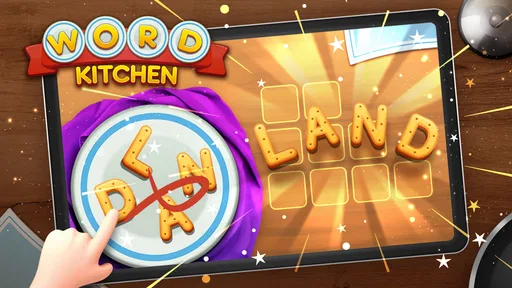
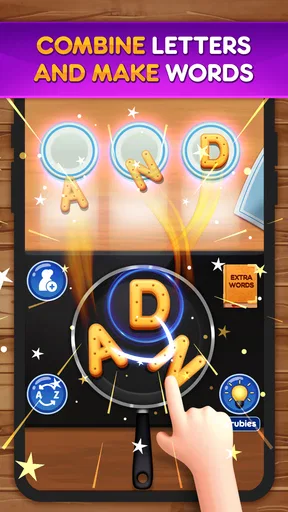
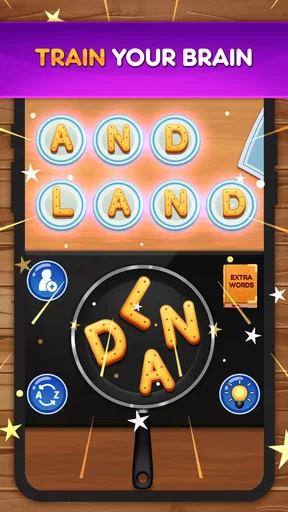
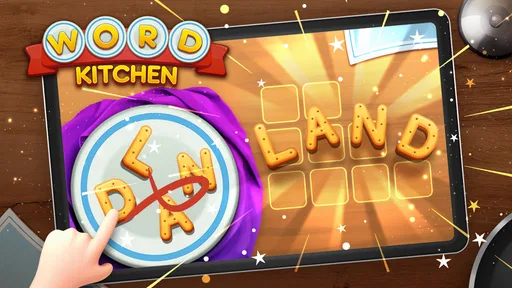
The game presents you with a series of scrambled letters, and your job is to connect them to form words. It's like a culinary twist on the classic word search. What I love is the simplicity of the gameplay – you just swipe your finger across the letters to form words. The controls are smooth, making it easy to play, even on the go.
Levels and Challenges
With hundreds of levels to tackle, Word Kitchen keeps you coming back for more. Each level is uniquely themed, taking you through different cuisines and culinary setups. As you advance, the puzzles naturally get trickier, which keeps things exciting and engaging.
The game does a fantastic job of gradually increasing difficulty. You'll start with simple three-letter words and work your way up to more complex ones. Trust me, it's a satisfying feeling when you finally crack a challenging level.
Graphics and Sound
Now, let’s talk about the aesthetics. The graphics are vibrant and pleasing to the eye. The developers have done a great job of creating a colorful and inviting kitchen environment. Each theme feels fresh, and I appreciate the little details like animated kitchen utensils and sizzling sounds that make the experience more immersive.
The background music and sound effects are subtle yet fitting. They add a nice touch without being overwhelming, allowing you to focus on the puzzles while still enjoying the ambiance. It’s like being in a cozy kitchen, working on your favorite recipe.
Boosts and Hints
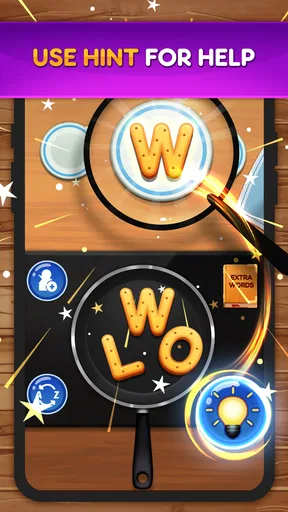
If you ever find yourself stuck on a level, don’t worry. Word Kitchen offers helpful hints and boosts to get you back on track. You can earn hints by successfully completing levels, or you can purchase them if you’re in a pinch. These features are a lifesaver, especially on those particularly tough puzzles where you're just one word away from victory.
Why You Should Try It
So, why should you give Word Kitchen a shot? Well, aside from the fact that it’s a perfect blend of fun and education, it’s also a great way to sharpen your vocabulary skills. The game encourages you to think creatively and approach problems from different angles, which is always a nice bonus.
Plus, it's free to download, so there's really no downside to giving it a try. Whether you're a word puzzle enthusiast or just looking for something new to play during your downtime, this app is sure to keep you entertained.
If you’re ready to start cooking up some words, you can download Word Kitchen from the Google Play Store or the Apple App Store. Who knows, you might just find yourself hooked, just like I did!
Privacy and Permissions
See what permissions an app requests and how it handles your data.
- Photos/Media/Files
- read the contents of your USB storage
- Storage
- read the contents of your USB storage
- Wi-Fi connection information
- view Wi-Fi connections
- Other
- view network connections, full network access, read terms you added to the dictionary, control vibration, prevent device from sleeping, Google Play license check
Verdict
Strengths of Word Kitchen
- Engaging and fun gameplay.
- Wide variety of puzzles.
- Offline play available.
- User-friendly interface.
- Regular updates and new levels.
Limitations of Word Kitchen
- Contains ads between levels.
- In-app purchases can be costly.
- Limited hints without purchase.
- Some puzzles feel repetitive.
- Requires frequent updates.
Other Releases by Gimica GmbH
View All


Similar Picks in This Category
View All
Word Search - Word Puzzle Game
Bluetile4.8

Word Search Quest - Puzzles
Blackout Lab4.8

CodyCross: Crossword Puzzles
Fanatee, Inc.4.7

Words of Wonders: Crossword
Fugo Games4.9

Wordscapes: Word puzzle game
PeopleFun4.7

Word Search Explorer
PlaySimple Games4.9
Frequently Asked Questions
What is Word Kitchen and how does it work?
Word Kitchen is a fun and engaging word puzzle game that challenges players to create words from a set of scrambled letters. The game provides various levels of difficulty, and players must find all possible word combinations to progress. It's perfect for enhancing vocabulary and cognitive skills while having fun.
Is Word Kitchen suitable for all age groups?
Yes, Word Kitchen is designed to be family-friendly and suitable for all age groups. The game offers varying levels of difficulty, making it accessible for children, teens, and adults. It’s a great way for families to engage in educational entertainment together, enhancing word skills across generations.
Does Word Kitchen require an internet connection to play?
Word Kitchen can be played offline, making it convenient for users who may not have constant internet access. However, some features like leaderboards and updates may require an internet connection. Offline play allows users to enjoy the game anywhere, anytime without data concerns.
Are there in-app purchases in Word Kitchen?
Yes, Word Kitchen includes in-app purchases. Players can buy hints or additional features to enhance their gaming experience. While the game is free to download and play, these optional purchases can help players who want to progress faster or need extra assistance in challenging levels.
How can I get help if I’m stuck on a level in Word Kitchen?
If you're stuck on a level in Word Kitchen, you can use the hint feature to reveal a letter or word. Additionally, the game offers daily rewards and bonuses that can provide extra hints. For further assistance, players can visit the community forums or support section within the app for tips and tricks.
Play our best games!


